Weekly Planner Template (Printable PDF & GoodNotes)
Two undated pages. The first has a box for each day and a priorities list; the second is an hourly grid for the week from 6am to 10pm. Write the dates in, then print as many weeks as you need or duplicate the page in your note app.
- Printable US Letter8.5 × 11 in, white paper
- Printable A4210 × 297 mm, white paper
- iPad / GoodNotesAlso Notability and Noteshelf
- E-ink tabletreMarkable, Kindle Scribe, Boox
Free PDF, 2 pages, undated. No sign-up needed.
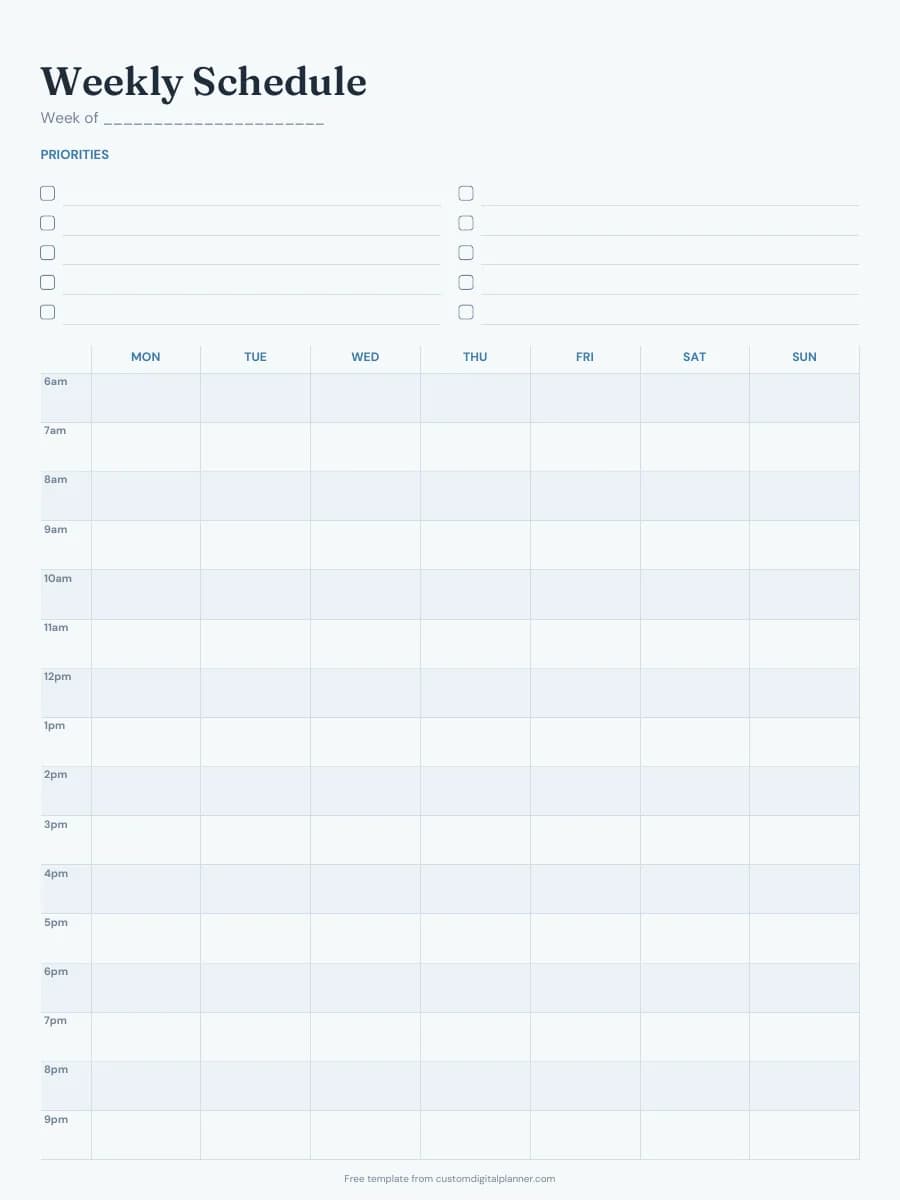
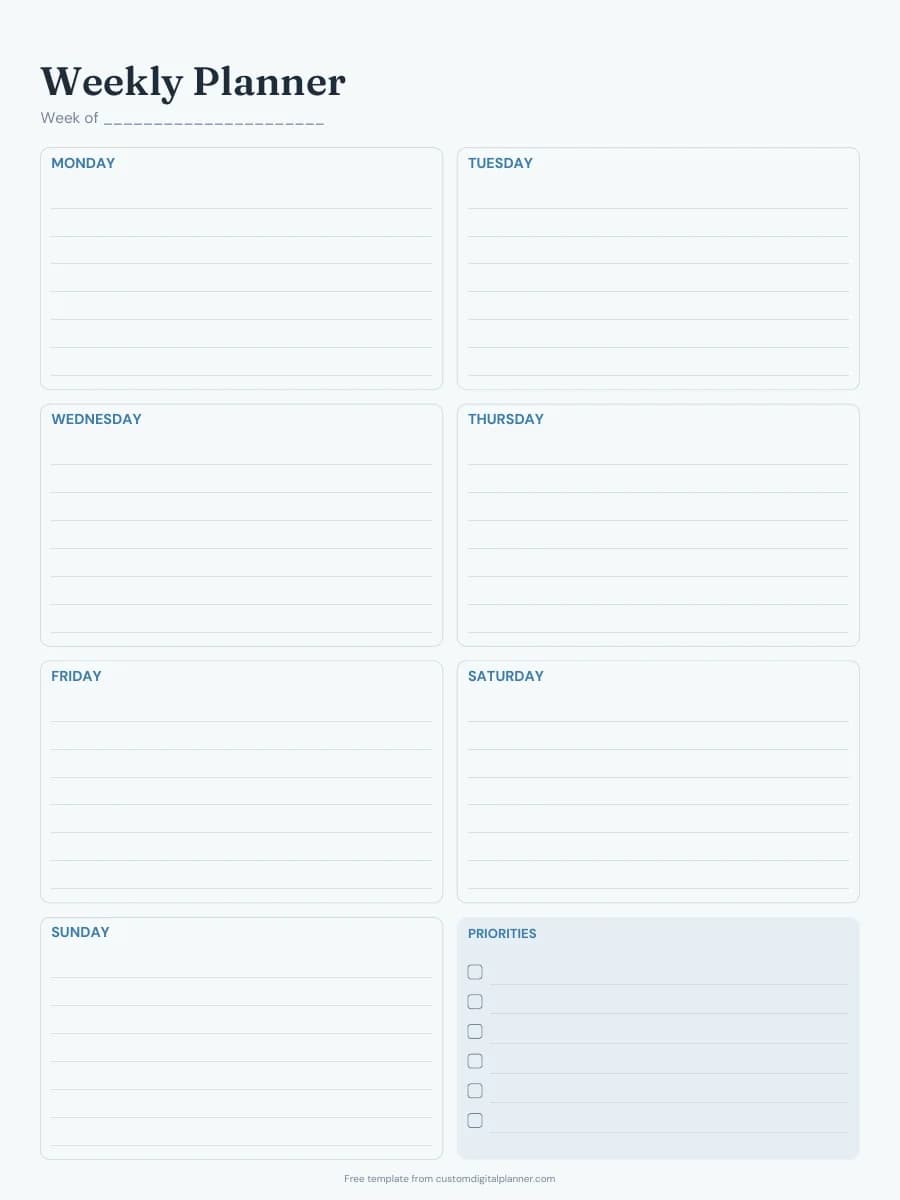
Shown for iPad in the Ocean Calm theme. Printable downloads use white paper; the e-ink version is black and white.
2 pages, ready to fill in.
- Page 1: a lined box for each day, Monday to Sunday
- A shaded priorities box with checkboxes
- Page 2: an hourly grid from 6am to 10pm across all seven days
- A two-column priorities list above the hourly grid
- A "Week of" line on both pages, so it works for any year
Getting the most from a weekly planner.
Fill in the priorities first
Before you write in the day boxes, list the three to six things that would make the week count, then give each one a day. If a priority is still unassigned on Wednesday, the week is probably overbooked.
Put fixed commitments on the hourly page
Block in work shifts, classes, school runs and appointments on the hourly grid before anything else. The empty squares left over are the time you actually have for the tasks in your day boxes.
Plan at the same time each week
Sunday evening or Friday afternoon suits most people. Ten minutes is enough: copy over unfinished tasks, check next week's appointments and write the date on the "Week of" line.
Duplicate the page instead of re-downloading
In GoodNotes, open the page thumbnails, tap the arrow on a page and choose Duplicate. Keep one blank copy at the back of the notebook and duplicate from that, so you never copy last week's writing.
Print at actual size
Choose "Actual size" or 100% in the print dialog so the margins stay even. The Letter and A4 files are laid out separately, so pick the one that matches your paper rather than scaling one to fit.
Every planner has weekly pages
Each planner we build has a dated weekly page for every week of the year, linked to its month and days.
- All-in-One Life Planner
- Daily Planner
- Weekly Planner
- Goal Planner
- Student Planner
- Academic Planner (Aug–Jul)
- Teacher Planner
- Budget Planner
- Fitness Planner
- Meal Planner
- Wellness & Self-Care Planner
- ADHD Planner
- Small Business Planner
- Etsy & Online Shop Planner
- Content Creator Planner
- Bible Study & Faith Planner
- Christian Planner
- Prayer Journal
- Homeschool Planner
- Kids Homework Planner
- Teen Planner
- Wedding Planner
- Pregnancy & Baby Planner
- Party Planner
- Baby Shower Planner
- Bridal Shower Planner
- Graduation Party Planner
- Christmas Planner
- Family & Mom Planner
- Travel Planner
- Reading Journal
- Gratitude Journal
- Habit Tracker Planner
- Work & Project Planner
- Nurse & Shift Worker Planner
- Real Estate Agent Planner
- Garden Planner
- Pet Care Planner
- Undated Planner
Get it inside a full hyperlinked planner
The weekly planner includes a weekly page for every week alongside dated month and week pages for your year, with side tabs and links between every page. Pick your device and theme, preview it free, and pay only when it's right.
- Dated pages for the whole year
- Tap a tab or a date to jump there
- GoodNotes, Notability, Samsung Notes, e-ink and print sizes
Or read about the weekly planner first.
Is this weekly planner template free?
Yes. Every download on this page is free and doesn't need an account or an email address. Print it or import it as often as you like for your own use.
Does the week start on Monday or Sunday?
The free template starts on Monday. If you build a full planner you can choose a Monday or Sunday start, and every week is printed with its dates.
How do I use it in GoodNotes or Notability?
Download the iPad / GoodNotes version. In GoodNotes, tap + then Import and choose the PDF; in Notability, tap Import and pick it from Files. To reuse a page, duplicate it from the page thumbnails instead of downloading it again.
Does it work on a reMarkable or Kindle Scribe?
Yes. The e-ink download is sized for e-ink screens and uses a black-and-white theme with no grey fills that are hard to see. Upload it with the reMarkable app or Send to Kindle and write on it like any notebook.
What does the full planner add?
In a full planner the weekly pages are dated and linked: each week links to its month and days, the side tabs open any month or section, and you can choose a boxes, columns or hourly week layout. The free template is a single undated week with no links.