Golf Scorecard Template (Printable PDF & GoodNotes)
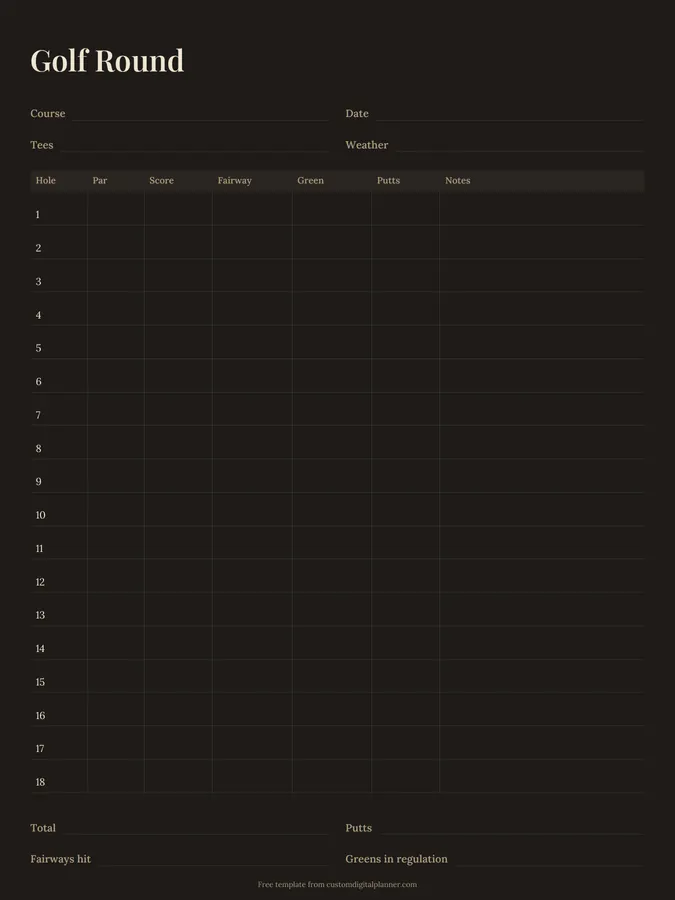
A golf round tracker with lines for the course, date, tees and weather, then a row for each of the 18 holes with par, score, fairway, green, putts and notes. Totals at the bottom record your score, putts, fairways hit and greens in regulation.
- Printable US Letter8.5 × 11 in, white paper
- Printable A4210 × 297 mm, white paper
- iPad / GoodNotesAlso Notability and Noteshelf
- E-ink tabletreMarkable, Kindle Scribe, Boox
Free PDF, 1 page, undated. No sign-up needed.
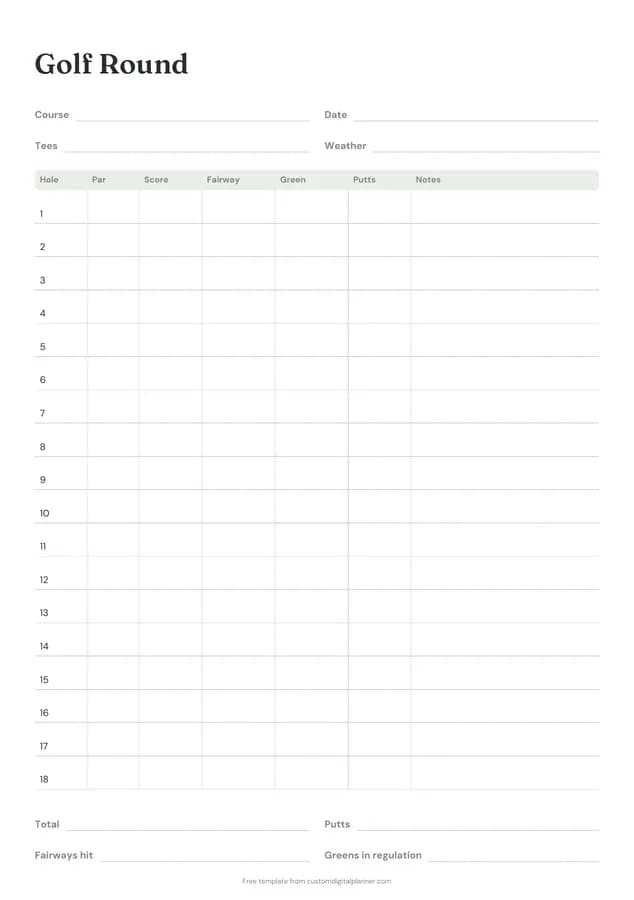
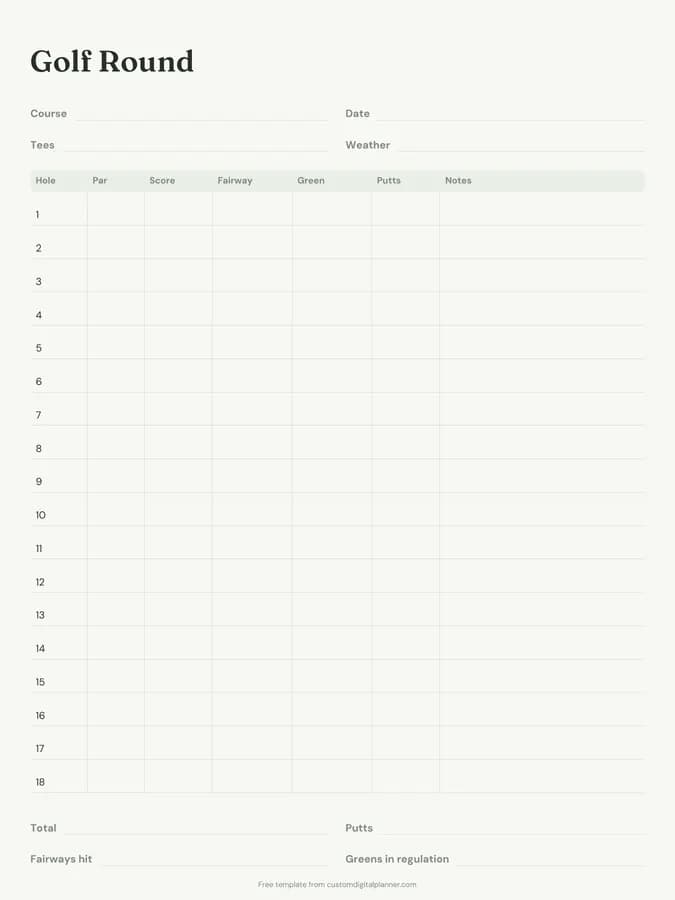
Shown for iPad in the Sage Botanical theme. Printable downloads use white paper (there's a dark mode preview below); the e-ink version is black and white.
One page, ready to fill in.
- Write-in lines for course, date, tees and weather
- A table with columns for hole, par, score, fairway, green, putts and notes
- Write-in lines for total, putts, fairways hit and greens in regulation
- Undated, so you can print or duplicate it as often as you need
Who it's for
Amateur golfers working on their handicap, beginners learning where shots go, juniors and their coaches, and anyone who wants stats without a golf app. Coaches use it with juniors and beginners to talk through a round, because the stats show where to focus the next lesson.
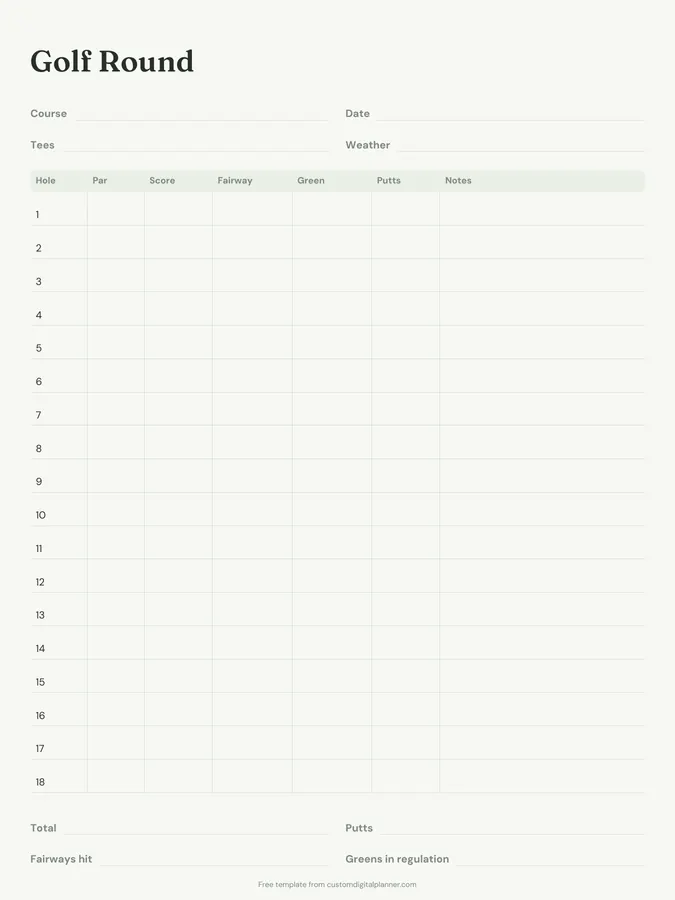
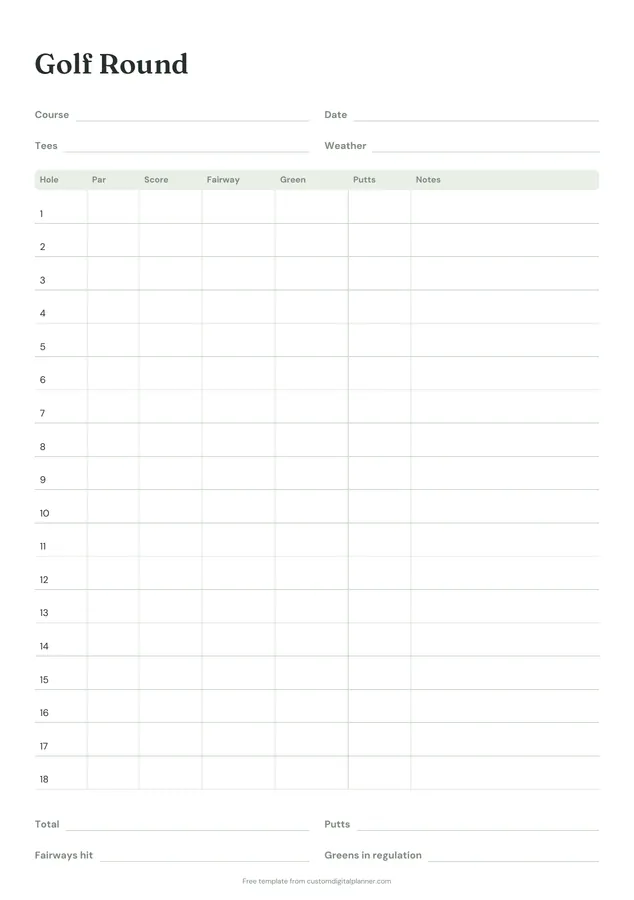
Getting the most from a golf scorecard.
Track stats, not just score
Fairways, greens and putts show where shots are lost. Two rounds with the same score can tell very different stories.
Mark misses by direction
Use L or R in the fairway column for misses left or right. Patterns point to what to practise.
Use notes for key shots
Club choice on par 3s, a penalty, a chip-in. A few words help you plan the hole next time.
Fill in totals after the round
Total score, putts, fairways and greens in regulation. Compare them round to round.
Keep a page per course
Playing the same course often? Keep your rounds together to see which holes cost you most.
Practise what the stats show
If putts are high, spend practice time on the green. If greens in regulation are low, work on approach shots. Let the numbers decide.
Included in 1 planner
This template is a page in this planner. Open it to see everything else that comes with it.
Get it inside a full hyperlinked planner
The golf journal includes this page alongside dated month and week pages for your year, with side tabs and links between every page. Pick your device and theme, preview it free, and pay only when it's right.
- Dated pages for the whole year
- Tap a tab or a date to jump there
- GoodNotes, Notability, Samsung Notes, e-ink and print sizes
Opens the golf journal with the Golf section switched on.
Or read about the golf journal first.
What does the golf scorecard track?
Course, date, tees and weather; par, score, fairway, green, putts and notes for all 18 holes; and totals for score, putts, fairways hit and greens in regulation.
What is greens in regulation?
Reaching the green in par minus two strokes, so one shot on a par 3, two on a par 4 and three on a par 5.
Can I use it for 9 holes?
Yes. Use the first nine rows.
What's in the golf journal?
40 golf round pages and practice logs, plus goals, habits and fitness pages.
How do I count putts?
Count every stroke taken on the green. Fewer than 36 putts in a round is a common target for amateurs.