Your planner in every new tab.
Your PDF planner lives on your tablet. This free extension brings today's part of it to your computer: this week's actions, today's tasks and your habits, every time you open a tab.
For Google Chrome on desktop, and other browsers that install from the Chrome Web Store.
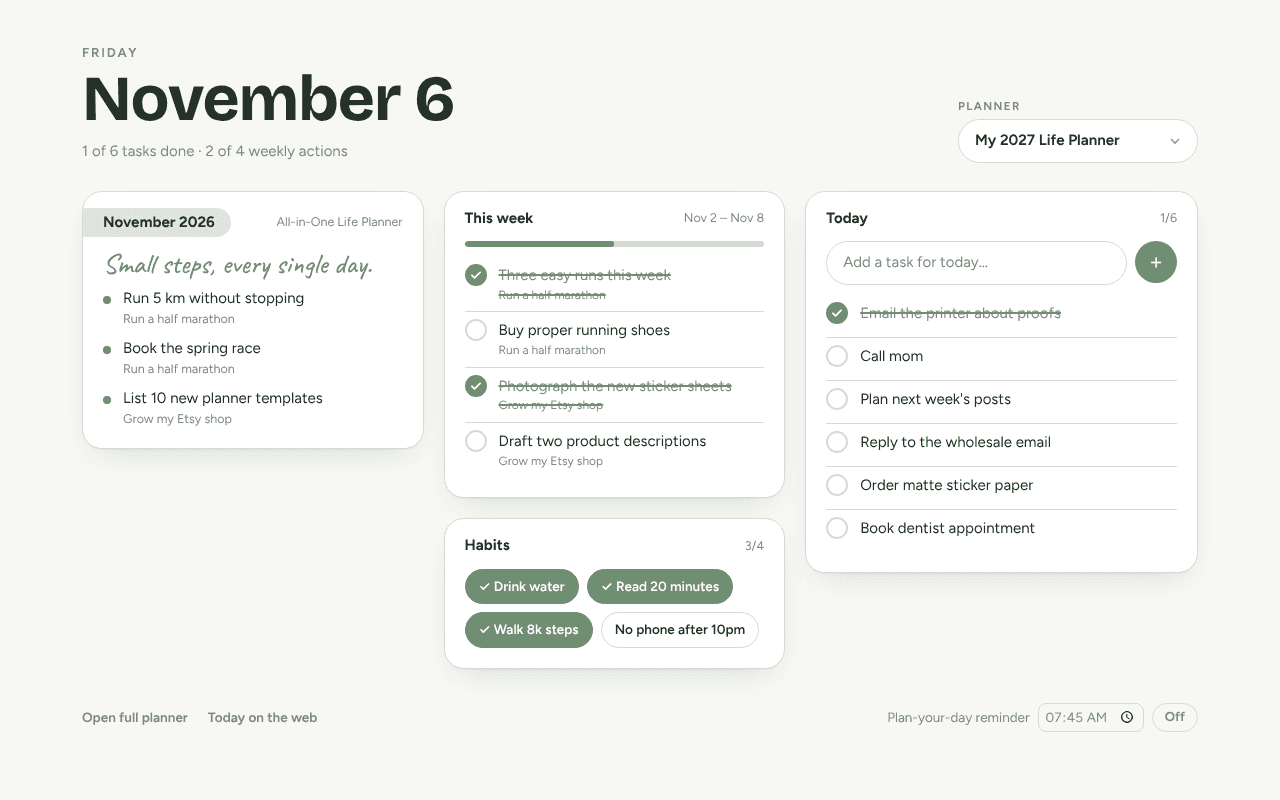
Today, every time you open a tab
The date, this month's focus and this week's actions from your saved planner, in your planner's own colours.
A short list for today
Add and tick off today's tasks and habits. They're the same list you see on the Today page on your phone.
Quick-add from the toolbar
Click the planner icon, type a task, press Enter. Done before you lose the thought.
An optional morning nudge
Turn on a daily “plan your day” reminder at the time you choose. It's off until you switch it on.
Planned by your goals, not a blank list
When you build a planner, our AI breaks your goals into monthly milestones and weekly actions. The extension shows the ones for this month and this week, so the plan you wrote in January still steers your Tuesday.
Build my plannerPrivate by design
- It only talks to customdigitalplanner.com, using the account you're signed in with.
- It doesn't read your browsing history, tabs or other websites.
- No ads, no trackers, and nothing is sold. See our privacy policy.
Questions
- Is the extension free?
- Yes. It's free for everyone with a Custom Digital Planner account, whether or not you've unlocked a planner.
- Does it replace my PDF planner?
- No. Your hyperlinked PDF stays your main planner in GoodNotes, Notability or on your e-ink tablet. The extension is a light daily view of the same plan for when you're at your computer.
- Do I need to sign in again?
- No. The extension uses the account you're already signed in to on customdigitalplanner.com. If you're signed out, the new tab shows a button to sign in.
- What can the extension see?
- Only your Today data on customdigitalplanner.com. It doesn't read your browsing, other websites or your open tabs, and it has no ads or trackers.
- Can I use Today without Chrome?
- Yes. Open customdigitalplanner.com/today on any phone or computer, and add it to your home screen to use it like an app.