A digital planner that syncs with Apple Calendar
Subscribe to your planner's goals in Apple Calendar on iPhone, iPad and Mac. Monthly milestones and weekly actions arrive as all-day events, and they update when you edit the planner. The planner itself stays a PDF in GoodNotes, Notability or whichever app you write in.
Free to build and preview. Calendar sync switches on once the planner is unlocked: $12 for one planner, or any plan.
January 2027
My planner goals (subscribed)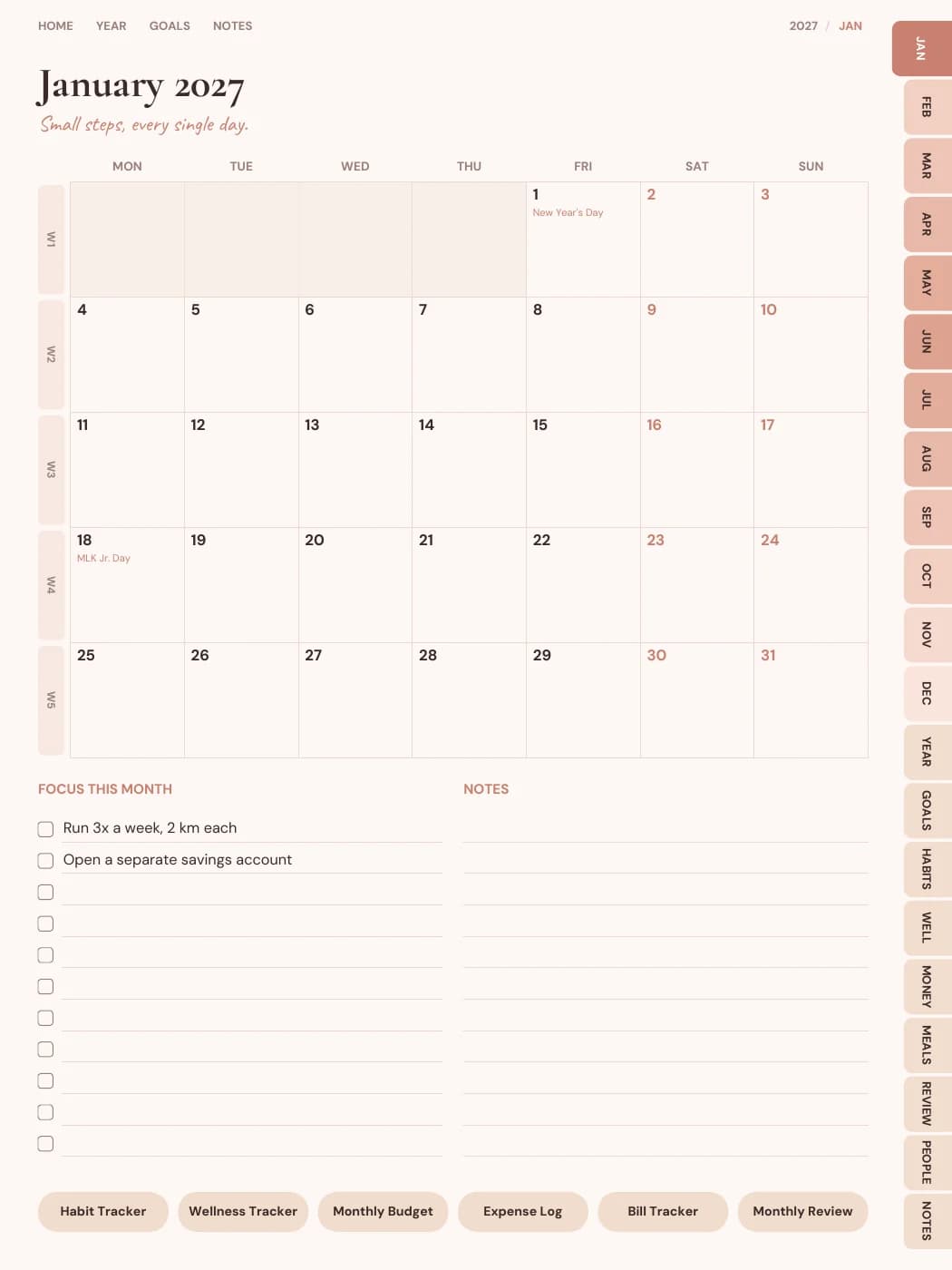
How it works, in three steps.
- 1
Plan your goals
Make a dated planner and type up to six goals in the builder's Goals step. AI writes a milestone for every month and an action for every week, and you can edit any of them.
- 2
Unlock it and open My planners
Buy the planner ($12) or use Pro or Seller. In My planners, choose Add to calendar on that planner.
- 3
Choose Apple
On an iPhone, iPad or Mac, the Apple button opens Calendar and asks you to subscribe. To have it on all your Apple devices, add it by hand and choose iCloud (steps below).
What it does, and what it doesn't.
It does
- Adds each monthly milestone as an all-day event on the 1st of its month, titled “Milestone: …”
- Adds each weekly action as an all-day event on the first day of its week, Monday or Sunday to match your planner
- Names the goal, and the month or week, in each event's description
- Marks the events as free time, so they don't show you as busy
- Keeps itself up to date: edit goals or milestones in the builder and the calendar picks up the change the next time it checks the link
- Lets a Mac check for changes as often as you choose, with Calendar's auto-refresh setting
- Reaches every Apple device signed in to the same Apple Account, when you store the subscription in iCloud
It doesn't
- Sync back. It's one-way, from the planner to Apple Calendar. A subscribed calendar is read-only there, and nothing you do in the calendar changes the planner
- Copy handwriting. What you write in GoodNotes, Notability or Samsung Notes stays in the PDF
- Put your existing appointments into the planner PDF
- Include habits, daily pages or times of day. Habits can go to Notion instead
- Work with undated planners, or before you've planned goals in the builder
- Add anything to Apple's Reminders app
Adding it to Apple Calendar.
On iPhone or iPad
The quickest way is the Apple button in the Add to calendar window. To store the subscription in iCloud, so it reaches your other devices, copy the private link from that window and add it by hand.
iOS 26 and iPadOS 26
- Open Calendar and tap Calendars.
- Tap Add Calendar, then Add Subscription Calendar.
- Paste the link and tap Find.
- Give it a name and colour, set Account to iCloud, then tap Done.
iOS 18 and iPadOS 18 or earlier
- Open Calendar and tap Calendars at the bottom of the screen.
- Tap Add Calendar, then Add Subscription Calendar.
- Paste the link and tap Subscribe.
- Choose iCloud as the Account, then tap Add.
On a Mac
- In Calendar, choose File > New Calendar Subscription.
- Paste the link and click Subscribe.
- Set Location to iCloud, and choose how often to Auto-refresh. Every hour or every day is plenty for goals.
- Click OK.
These steps follow Apple's guide to calendar subscriptions, checked in November 2026. Menu names can shift a little between versions.
Device notes.
iPad with GoodNotes or Notability
Keep Calendar and the planner side by side, and plan the week by hand with that week's actions in view.
iPhone
Handy for a glance at this week's action on the go. The planner PDF itself is easier to write in on a tablet.
Mac
Pick the auto-refresh interval in the calendar's settings. On iPhone and iPad, iOS decides when to check.
Google or Outlook too
The same link works in other calendar apps. See Google Calendar sync for those steps.
Questions people ask
What digital planner works with Apple Calendar?
Any planner made here that's dated and has goals planned can feed Apple Calendar through a subscription link. A PDF on its own can't send anything to a calendar; this sends the milestones and weekly actions you planned in the builder.
Will what I write in GoodNotes appear in Apple Calendar?
No. Handwriting stays in the PDF on your iPad. The calendar shows the milestones and actions from the builder, and it updates when you change those.
How often does Apple Calendar update it?
On a Mac you choose the interval. On iPhone and iPad, iOS decides, so a change can take a few hours to appear. Our link suggests checking every 12 hours.
Do I need iCloud?
No. You can keep the subscription on one device. Choosing iCloud is what makes it appear on your other Apple devices too.
What do I need for calendar sync?
A dated planner with goals planned in the builder's Goals step, unlocked on your account: bought for $12, or covered by Pro or Seller. Undated planners can't sync, because their weeks have no dates.
What happens to the calendar if my Pro plan ends?
A planner you bought on its own stays unlocked, so its calendar link keeps working. A planner that was only covered by Pro or Seller stops updating its calendar when the subscription ends.
Who can see my goals?
Anyone who has the link. It's a long random address that isn't listed anywhere, but treat it like a password. If you've shared it by mistake, choose Reset link in the Add to calendar window; calendars using the old link stop updating.
Related
Plan the year once. See it in your calendar.
Build a dated planner, let AI write your milestones, flip through every page free, then switch on calendar sync.
Build my planner